Article Summary
No single piece of software handles technical writing from start to finish. Word and Google Docs work well for drafting. Tools like MadCap Flare and Paligo manage large document libraries. AI assistants speed up first drafts but still need expert review, especially in regulated industries. This guide compares the main options and shows where each one runs into limits.
Manufacturers ask us the same question every month: what’s the best software for technical writing? The honest answer is that it depends on the job. A tool built for a 10-page user guide won’t handle a 400-page service manual with revision history across six languages.
We write and manage technical documentation for manufacturers every day. Here’s how the major tools actually compare, based on what we see in practice.
Microsoft Word
Word is the default choice for most organizations, and for good reason. It’s familiar, it’s flexible, and almost every reviewer already has it.
Best for: Short to mid-length documents with a small number of contributors.
Where it struggles: Word slows down on very long documents. Styles drift over time. Version control across many reviewers gets messy fast, especially once a document needs translation into other languages.
Google Docs
Google Docs brings real-time collaboration to technical writing. Multiple people can edit the same draft at once, from anywhere.
Best for: Fast-moving drafts with a distributed team.
Where it struggles: Complex formatting doesn’t survive well. Numbered steps, tables, and embedded images can shift unexpectedly. Google Docs also has no strong system for managing a large library of related documents.
MadCap Flare
MadCap Flare is a dedicated authoring tool built for large technical documentation projects. It supports single-sourcing, meaning one set of content can generate a user guide, a help site, and a PDF manual at the same time.
Best for: Large document libraries that need to publish to multiple formats.
Where it struggles: Flare has a real learning curve. Smaller teams often find it more powerful than they need, and licensing costs add up quickly.
Adobe FrameMaker
FrameMaker is a long-standing tool for structured technical documents, especially ones with heavy formatting and complex layouts.
Best for: Long, structured manuals with strict formatting rules.
Where it struggles: FrameMaker’s interface feels dated compared to newer tools. It also requires more upfront setup than most small teams want to invest.
Confluence
Confluence started as a team wiki, but many manufacturers now use it to store internal technical documentation and process guides.
Best for: Internal documentation that changes often and needs quick, informal updates.
Where it struggles: Confluence isn’t built for polished, customer-facing manuals. Formatting options are limited, and exporting a clean, print-ready PDF is harder than it should be.
Document360 and Paligo
These newer platforms focus on structured, searchable documentation, often for software products or knowledge bases.
Best for: Searchable online documentation that updates frequently.
Where it struggles: Both are built with software products in mind, not physical manufacturing equipment. Diagrams, exploded views, and multilingual print manuals aren’t their strong suit.
AI Writing Assistants
AI tools can now draft a technical document in seconds. That speed is real, and it’s genuinely useful for outlines, first drafts, and reformatting existing content.
Best for: Speeding up early drafts and repetitive rewriting tasks.
Where it struggles: AI tools can invent specifications that sound correct but aren’t. This is a serious risk in regulated industries, where an incorrect torque value or safety warning can lead to a recall or a compliance finding. We cover this in detail in our breakdown of AI risks in regulated technical writing. The short version: use AI to draft, never to finalize, and always have a qualified person verify the technical content before it ships.
Comparison at a Glance
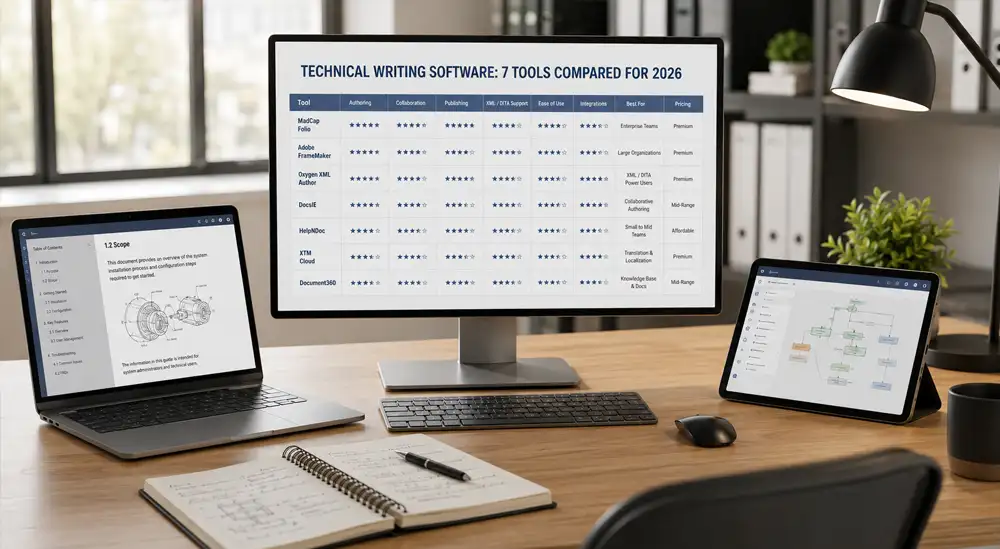
| Tool | Best For | Main Limit |
|---|---|---|
| Microsoft Word | Short documents, small teams | Version control at scale |
| Google Docs | Fast collaborative drafts | Complex formatting |
| MadCap Flare | Large multi-format libraries | Learning curve, cost |
| Adobe FrameMaker | Long structured manuals | Dated setup process |
| Confluence | Internal, fast-changing docs | Not built for polished manuals |
| Document360 / Paligo | Searchable online docs | Weak for physical products |
| AI writing assistants | Fast first drafts | Needs expert verification |
Why Software Alone Doesn’t Solve Technical Writing
Every tool on this list solves part of the problem. None of them replace a writer who understands your product, your industry’s regulations, and your customer’s actual questions. Software handles formatting, storage, and speed. A qualified writer handles accuracy, clarity, and judgment: the parts that matter most when a mistake could mean a safety issue or a failed audit.
Most manufacturers get the best results by combining the right software with experienced technical writers who know how to use it, rather than expecting either one to work alone.
The Bottom Line
There’s no single best technical writing software. There’s a best tool for your specific document, team size, and industry. Match the tool to the job, and always keep a qualified human reviewing the final content, especially if AI touched any part of the draft.
Related Resources
- Risks of Using AI for Technical Writing in Regulated Industries
- Technical Writing Services
- Document Production Services
- Other Capabilities
Frequently Asked Questions
What is the best software for technical writing?
There’s no single best option. Word and Google Docs work well for shorter documents and small teams. MadCap Flare and Adobe FrameMaker handle large, structured manuals better. The right choice depends on document length, team size, and how many formats you need to publish.
Can AI write technical documentation on its own?
AI can draft technical content quickly, but it can also invent specifications, safety values, or regulatory details that sound correct but aren’t. A qualified person should always review AI-assisted technical content before it’s published, especially in regulated industries.
What software do manufacturers use for user manuals?
Many manufacturers use MadCap Flare or Adobe FrameMaker for large, structured manuals, and Microsoft Word for shorter documents. The choice usually depends on how many languages and formats the manual needs to support.
Is Google Docs good for technical writing?
Google Docs works well for fast, collaborative first drafts, especially with a distributed team. It struggles with complex formatting, like numbered technical steps, tables, and embedded diagrams, once a document gets long.
Do I still need a professional technical writer if I have good software?
Yes. Software handles formatting, storage, and speed, but it doesn’t verify accuracy or catch ambiguity the way an experienced technical writer can. This matters most in regulated industries, where an error in a manual can lead to a compliance finding or a product recall.