
Article Summary
More manufacturers now load manuals into AI chatbots. Many of those bots give wrong or vague answers. The cause is often the manual, not the bot. This guide shows seven common problems in equipment documentation and simple fixes. It also gives you a 10-question test you can run this week.
The Problem in One Picture
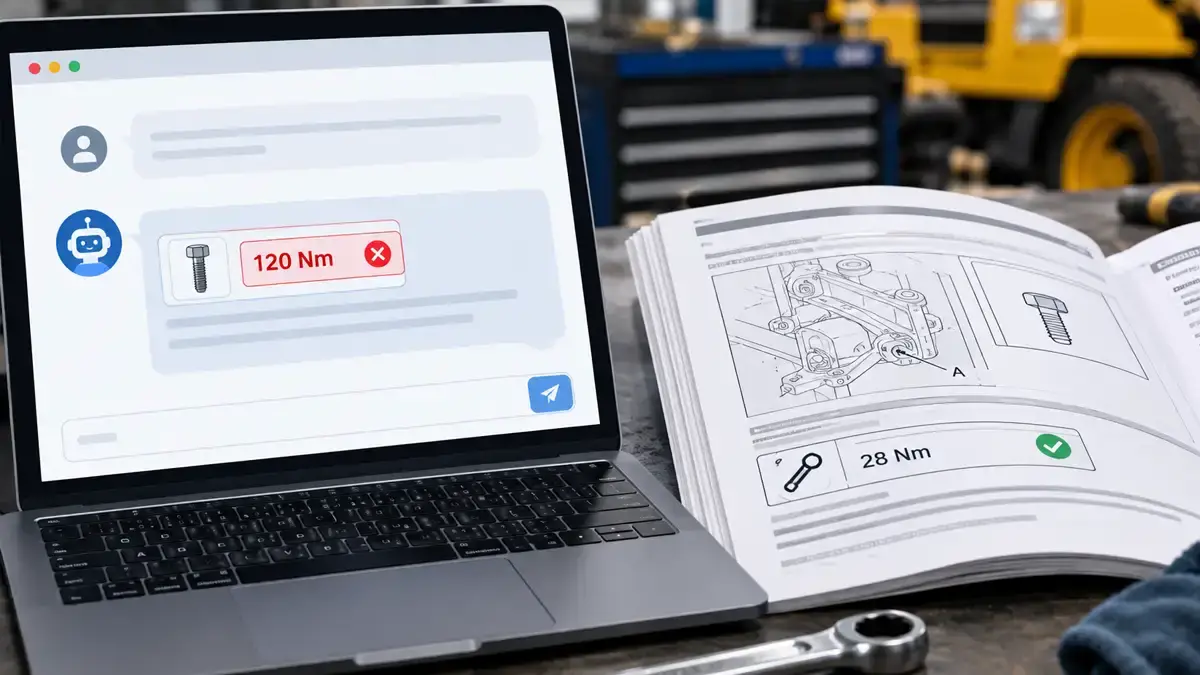
A technician asks a chatbot for a torque value. The bot answers fast. It sounds sure. The number is wrong.
This happens more often than teams expect. The bot did not lie on purpose. It read a manual that was built for print. Now a machine is trying to use it.
Good news: you can fix this. You fix the content first. Then the bot has something solid to work with.
How Chatbots Read Your Manuals
Most manual chatbots work in three steps.
- The tool splits your manual into small chunks of text.
- When someone asks a question, it finds the chunks that seem to match.
- It writes an answer from those chunks.
If a chunk is missing context, the answer can be wrong. If a value sits inside an image, the tool may never see it. If a table breaks apart, numbers can land next to the wrong labels.
General AI tools can also struggle with dense PDFs. Tables and multi-column pages are common trouble spots.
Seven Reasons AI Gets Your Manuals Wrong
1. Key data is trapped in illustrations
What goes wrong: Torque values, part numbers, and settings sit inside images. The bot reads text. It may skip the image.
The fix: Repeat critical values in real text or a table. Keep callout labels as live text where you can. Our 3D rendering and technical illustration team builds visuals that work with the words around them.
2. Exploded view callouts sit apart from the parts list
What goes wrong: The picture shows item 14. The list is three pages away. The bot cannot connect them.
The fix: Tie each item number to its part name and part number in one place. Read more about exploded views. Then keep your parts data in one source with database publishing. Every callout, list, and catalog page then matches.
3. Cross-references like “see page 47”
What goes wrong: The chunk says “see page 47.” The bot does not have page 47 in front of it.
The fix: Repeat the key fact where the user needs it. Use named links, not page numbers.
4. Many versions of the same manual
What goes wrong: The bot finds three revisions. It mixes them.
The fix: Keep one current version live. Tag each file with a revision date. Retire old files from the bot’s library. Our advice on manual updates after product changes shows how to keep control.
5. Warnings sit away from the steps
What goes wrong: A safety warning lives in a box on another page. The bot gives the step without it.
The fix: Put each warning right before the step it protects. The risk is real. See documentation mistakes that lead to product liability lawsuits.
6. Translations that drift from the source
What goes wrong: The English answer is right. The Spanish or German answer is not. Terms differ between versions.
The fix: Use approved terms and translation memory so every language says the same thing. Start with our translation memory overview. Our translation team keeps versions aligned.
7. No labels for model, serial range, or audience
What goes wrong: The bot cannot tell which model a step applies to. It also cannot tell an owner’s manual from a service manual.
The fix: Label each topic with the model, serial range, revision date, and audience. Not sure how your manuals differ? Read manual types explained.
What an AI-Ready Manual Looks Like
- Short topics, one task each
- Clear headings that say what the topic covers
- Real text next to every image
- Specs in tables, with units
- The same term for the same part, every time
- Warnings placed before the step
- Labels for model, serial range, revision, and audience
You do not need to rebuild everything at once. Start with the ten questions your support team hears most.
Want a bigger step? Structured content helps a lot. Read about single-source authoring for manufacturers and multilingual XML and DITA translation workflows.
Run This 10-Question Test
Ask your chatbot these questions. Check every answer against the approved manual.
- A torque value from a table
- A part number from an exploded view
- A warning that comes before a step
- A procedure that runs across two pages
- A spec that differs by model
- A step that changed in the latest revision
- The same question in a second language you support
- A question the manuals do not answer (the bot should say it does not know)
- A question that needs the service manual, not the owner’s manual
- A question about a discontinued model
Every miss points to one of the seven problems above. Fix those pages first.
Keep People in the Loop
Treat chatbot answers as help, not as the official record. The approved manual stays the controlling document. Show the source topic next to every answer so users can check it.
AI can also help with drafts. Regulated content still needs expert review. See our article on the risks of AI for technical writing in regulated industries.
Digital manuals are also becoming a legal topic in some markets. See our EU Machinery Regulation manual checklist.
Public AI tools may also pull from your website and PDFs. Clean, well-labeled pages help them quote you correctly.
How CPG Documentation Can Help
- Technical Writing: We rewrite manuals into short, labeled topics.
- Rendering and Technical Illustration: We create visuals with clear labels and matching text.
- Translation: We keep terms and meaning steady across languages.
- Database Publishing: We publish parts and spec data from a single source.
- Document Production: We produce clean, well-organized files for print and digital use.
- Rebranding: Legacy manuals often use different terms and layouts. Merge them under one brand and one vocabulary. See also why documentation becomes a problem after mergers and acquisitions.
Want a second opinion on one manual? Contact CPG Documentation and we will help you find the gaps.
Related Reading
- Why many product manuals fail on the factory floor
- How to improve product manuals for clearer instructions and faster training
- Common mistakes in technical writing and how to avoid them
- Right to repair and service documentation
Frequently Asked Questions
Why does my AI chatbot give wrong answers from our manuals?
The cause is often the manual, not the bot. Data trapped in images, split tables, page-number references, and mixed versions all lead to weak answers. Fixing the content usually improves the results.
What does AI-ready documentation mean?
AI-ready documentation is written in short, labeled topics. It uses real text next to images, tables for specs, consistent terms, and clear version labels. That structure helps a chatbot find the right content and use it correctly.
Are PDF manuals bad for AI?
Not always. PDFs with clean text and simple layouts work better than scans or multi-column pages. Problems start when key data sits in images or tables break apart.
Do I need XML or DITA to make manuals AI-ready?
No. Structured formats help, but you can gain a lot first with short topics, real text, consistent terms, and version labels. Move to structured authoring later if your library is large.
Can AI replace technical writers?
No. AI can help with drafts. Accuracy, safety warnings, and regulated content still need expert review.
How can I test my chatbot on our manuals?
Ask it ten questions with known answers. Include a table value, a part number, a warning, a multi-page procedure, and a question in a second language. Compare each answer to the approved manual and fix the pages that fail.